
From the rink to a stats site anyone can open.
Four steps turn a game into a record of your player's progress, from your seat in the stands to a stats site players, families, coaches and scouts can open on any device.
Track the game
Tap Goal, Shot, Faceoff, Penalty or Goalie to log shots, goals, assists, penalties, faceoffs, blocks, plus/minus and goalie saves as they happen — track one player or the whole roster. Rinks don't have signal; the app saves every stat on your phone the instant you tap it and catches up once you're back online.
NO SIGNAL NEEDED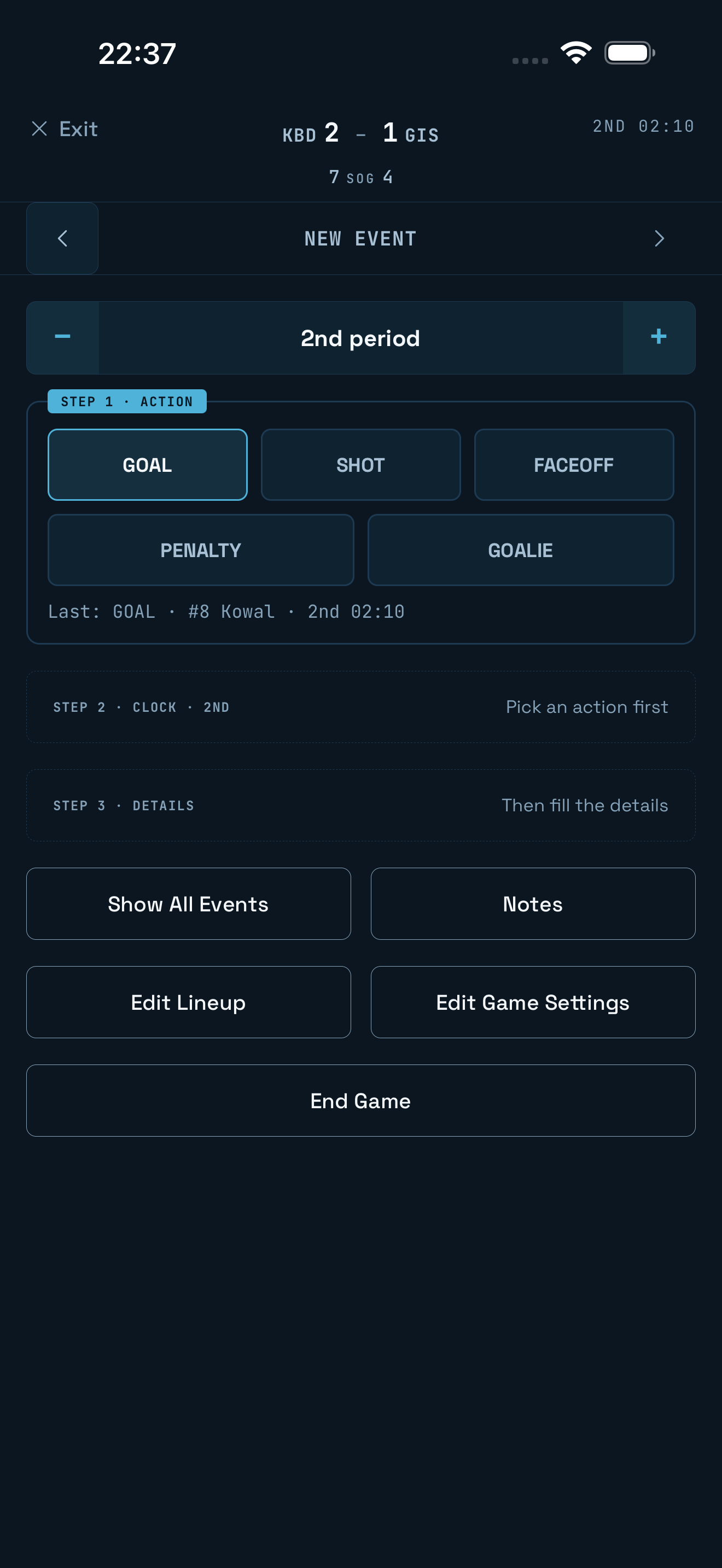
End the game
When the final buzzer sounds, end the game in the app and it's ready to turn into a report.
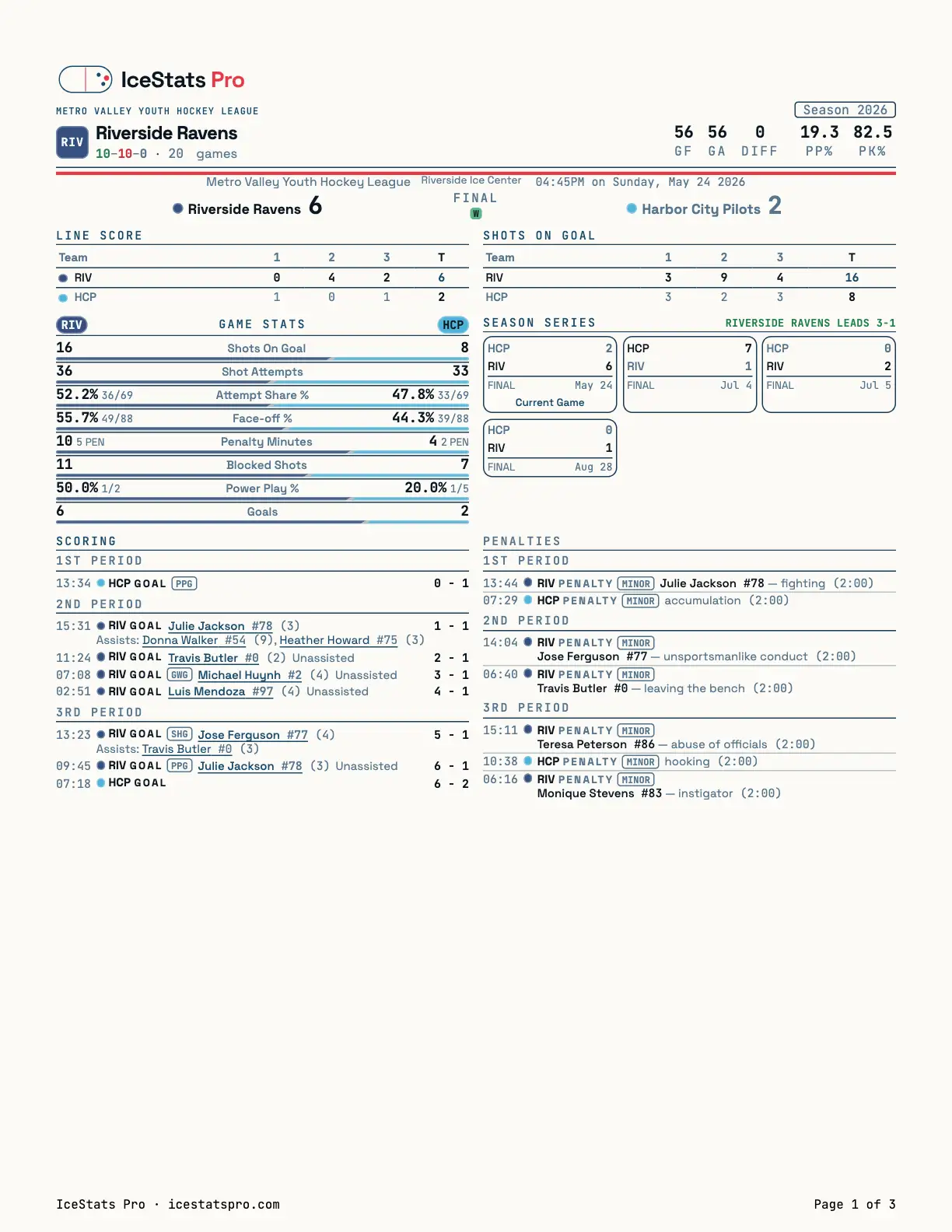
FINAL SCOREBOARD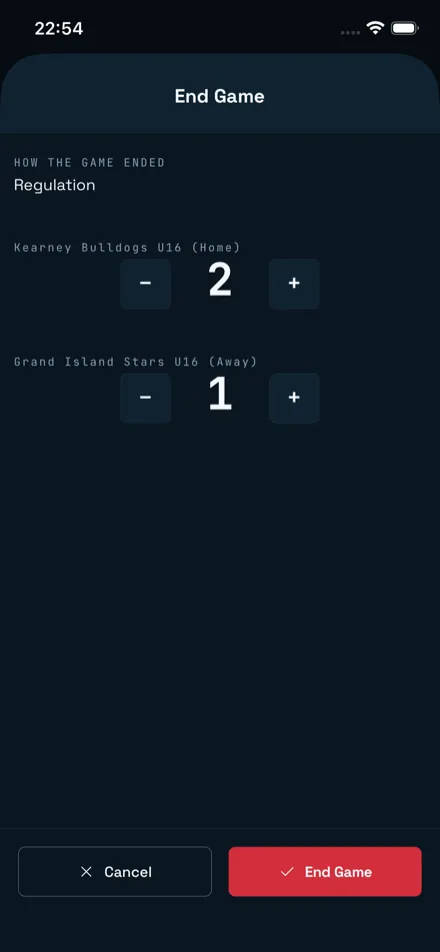
Get your report
Tracking in the app is always free. When you want a report, pay for one — a Player Report for a single player's stats, or a Team Report for the whole roster.
PLAYER OR TEAM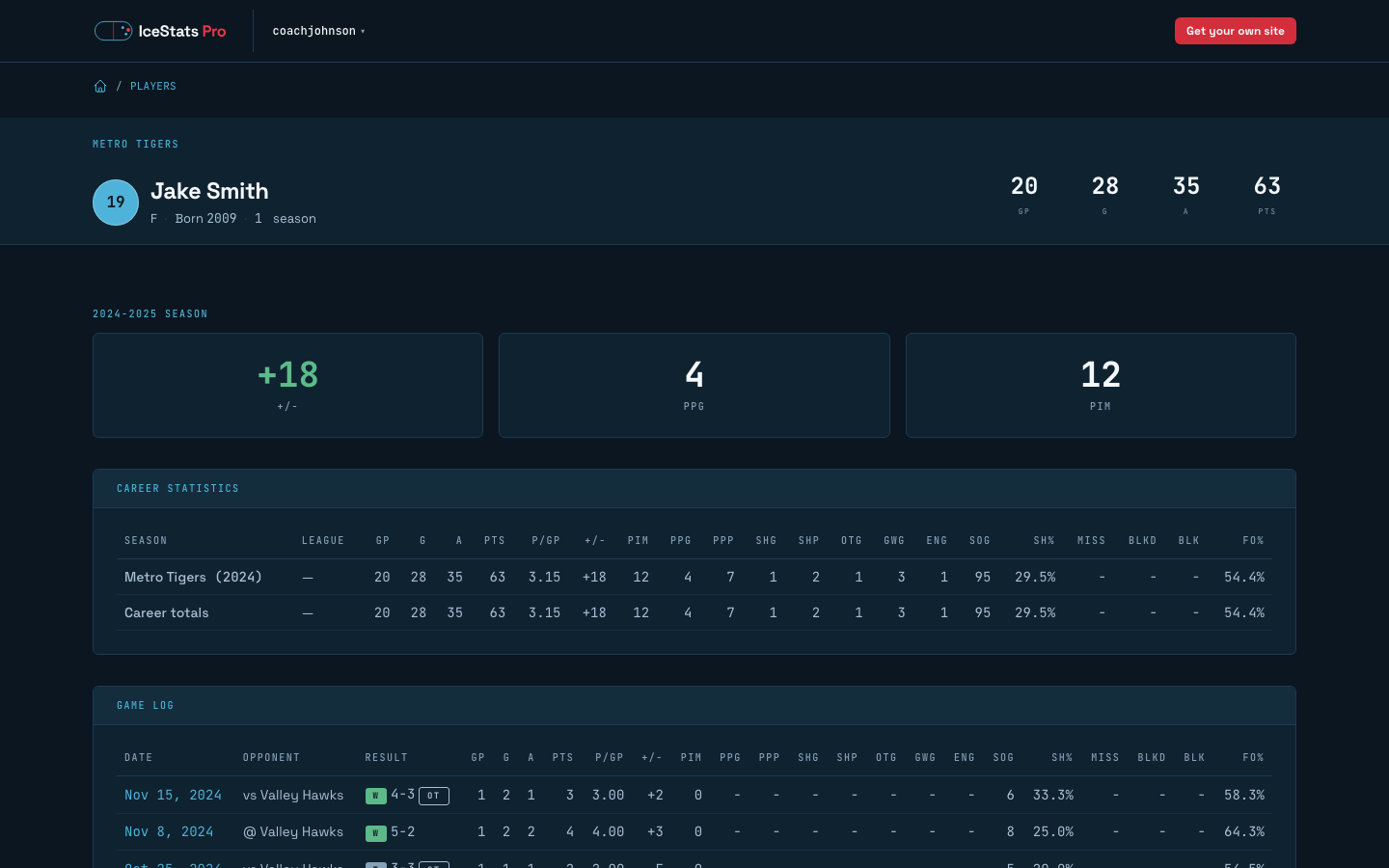
Share the site
Your report becomes a stats site anyone with the link can open — no app to install, no account to create. Grandparents, coaches and scouts just tap it.
NO ACCOUNT TO VIEW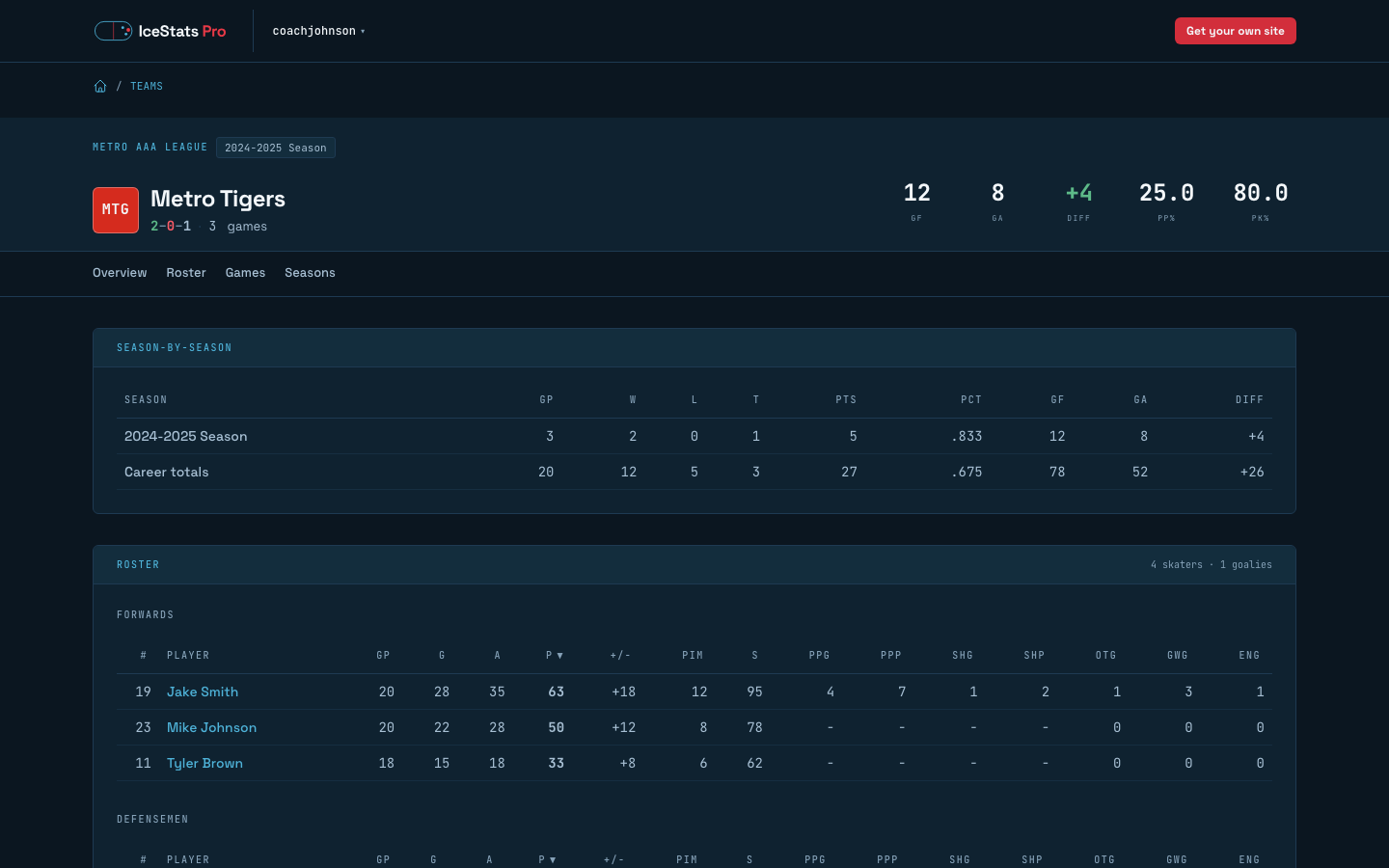
Print it or save it as a PDF.
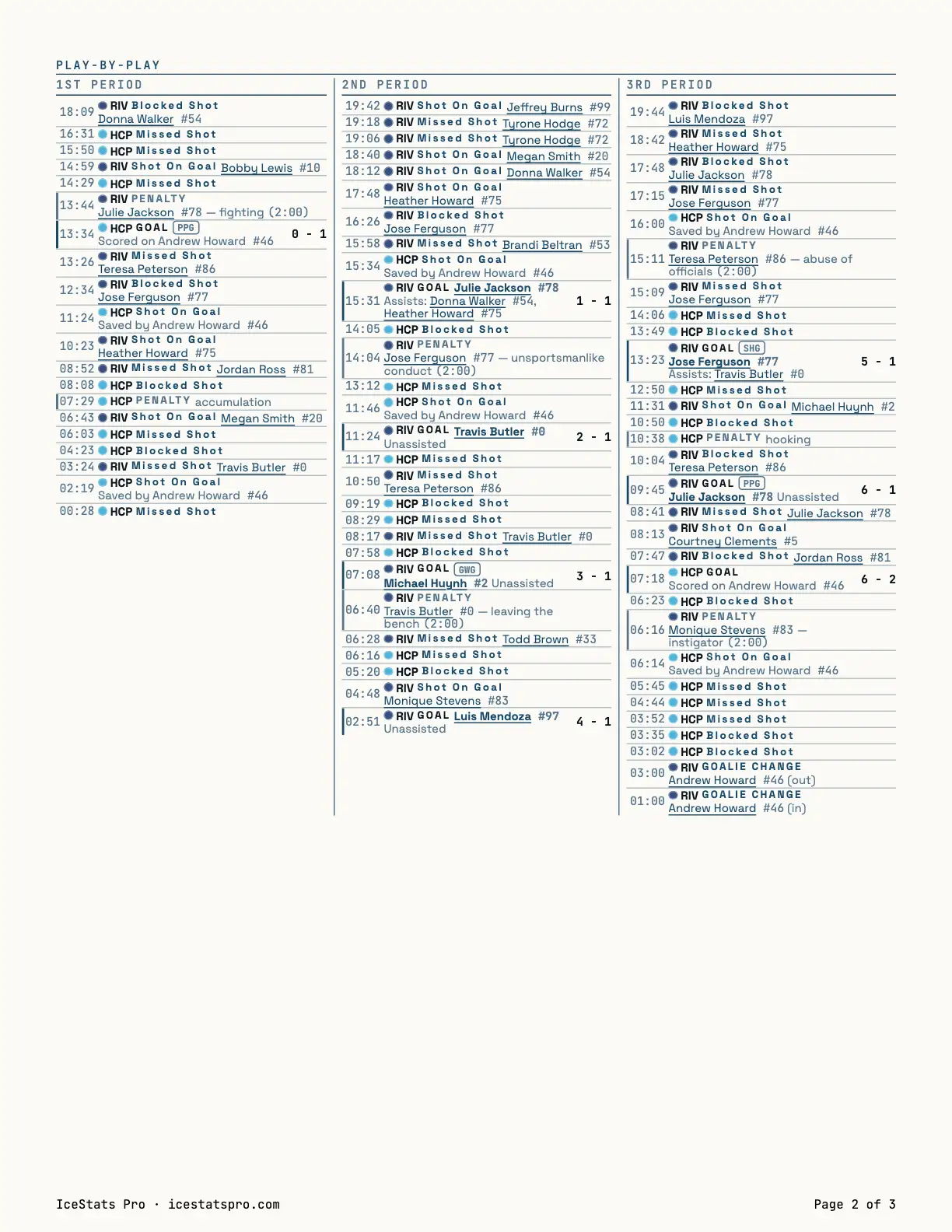
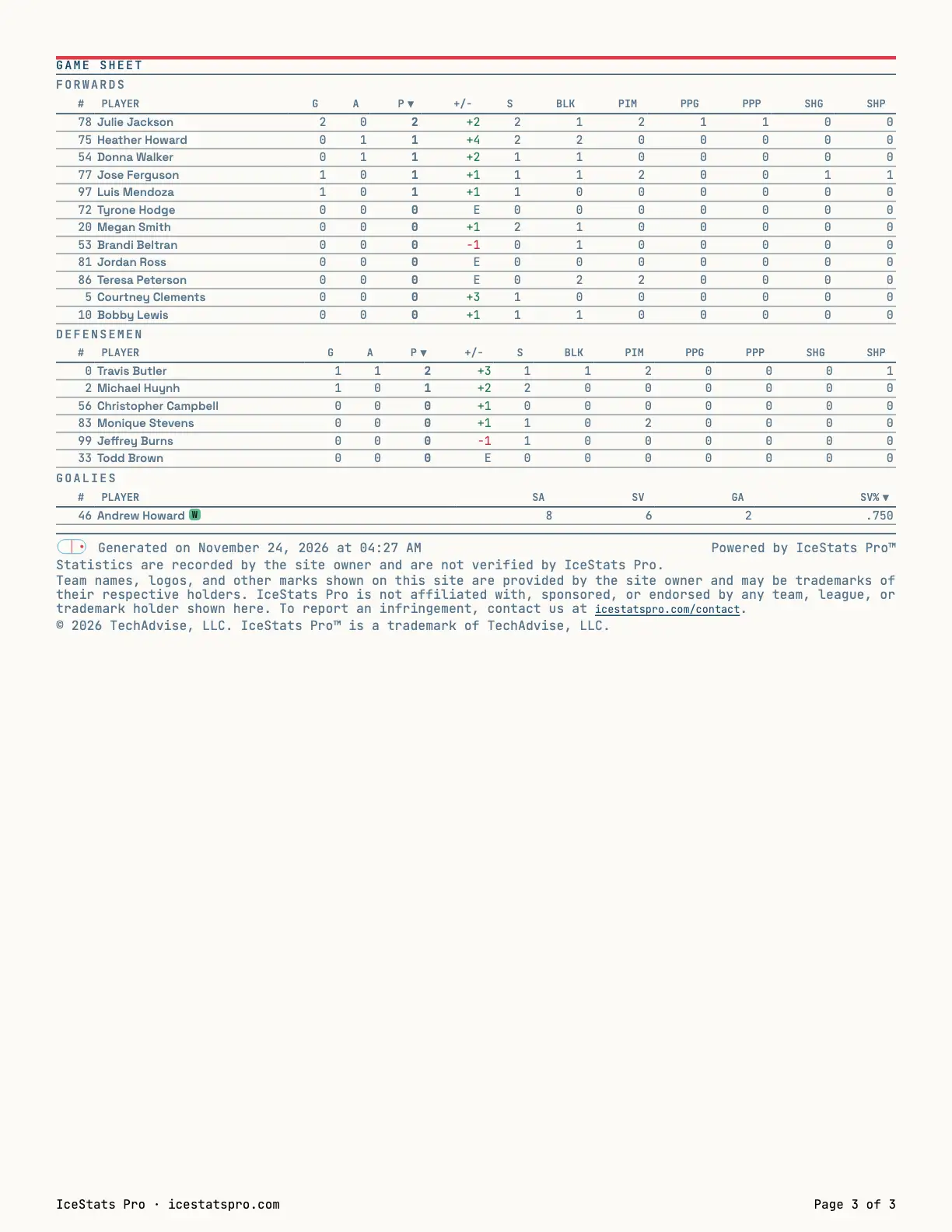
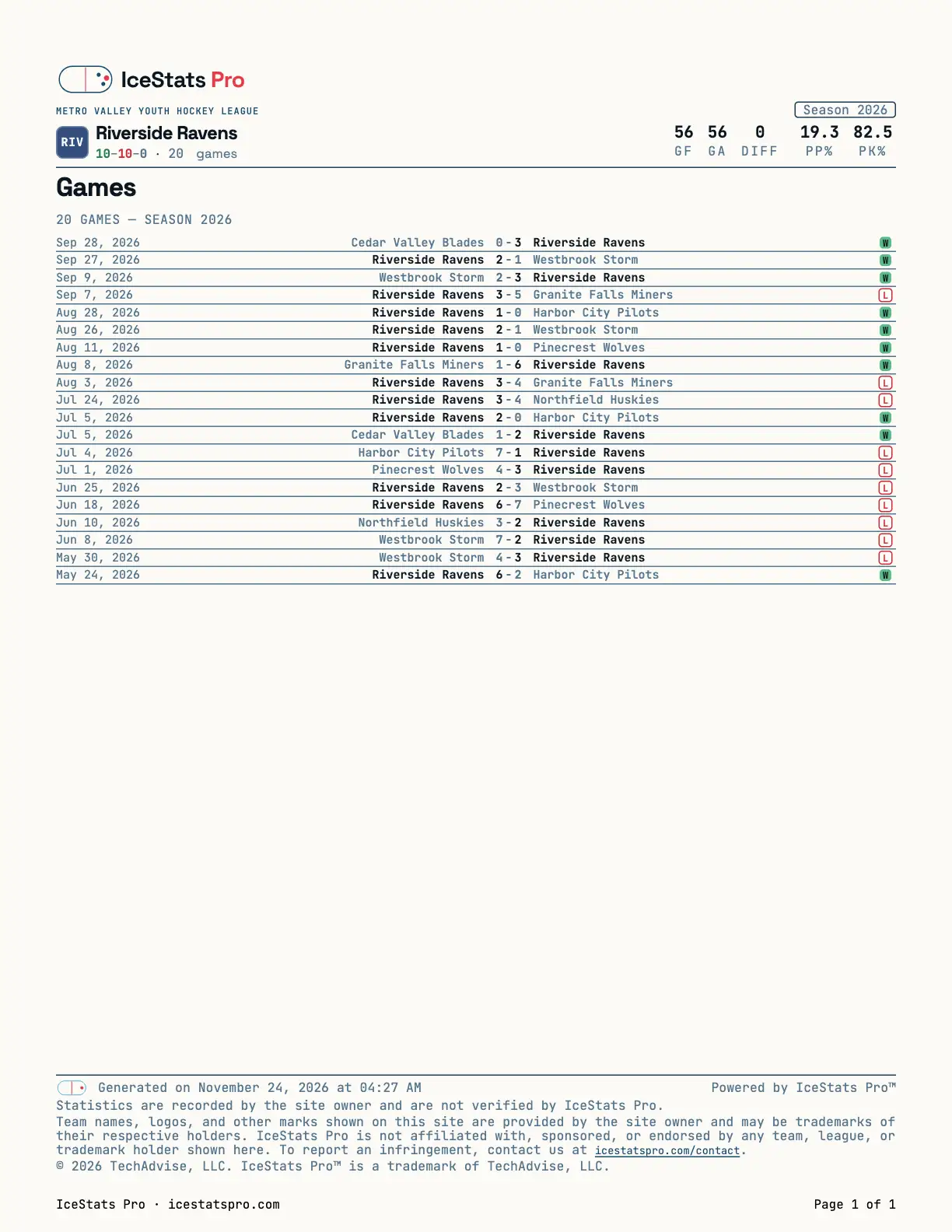
Press Print, or choose Save as PDF, on any page of your stats site and you get a clean paper report: the game summary, the play-by-play with a column for each period, the Game Sheet on its own page, and a season's results, one line per game.
Put it on the fridge, read it on the car ride home, hand the coach a game sheet, or keep a binder of the season. Every report carries the IceStats Pro name.
Download a sample printed game (PDF, 150 KB)Print a page yourself on the demo site
Ready to track your team's next game?
Get the app